The Problem
The tool was arguing against the sale.
The calculator existed to show savings. It showed wrong numbers, sometimes a loss. Sales knew it was broken. Nobody knew what it was costing them, because nothing was measured.
Before
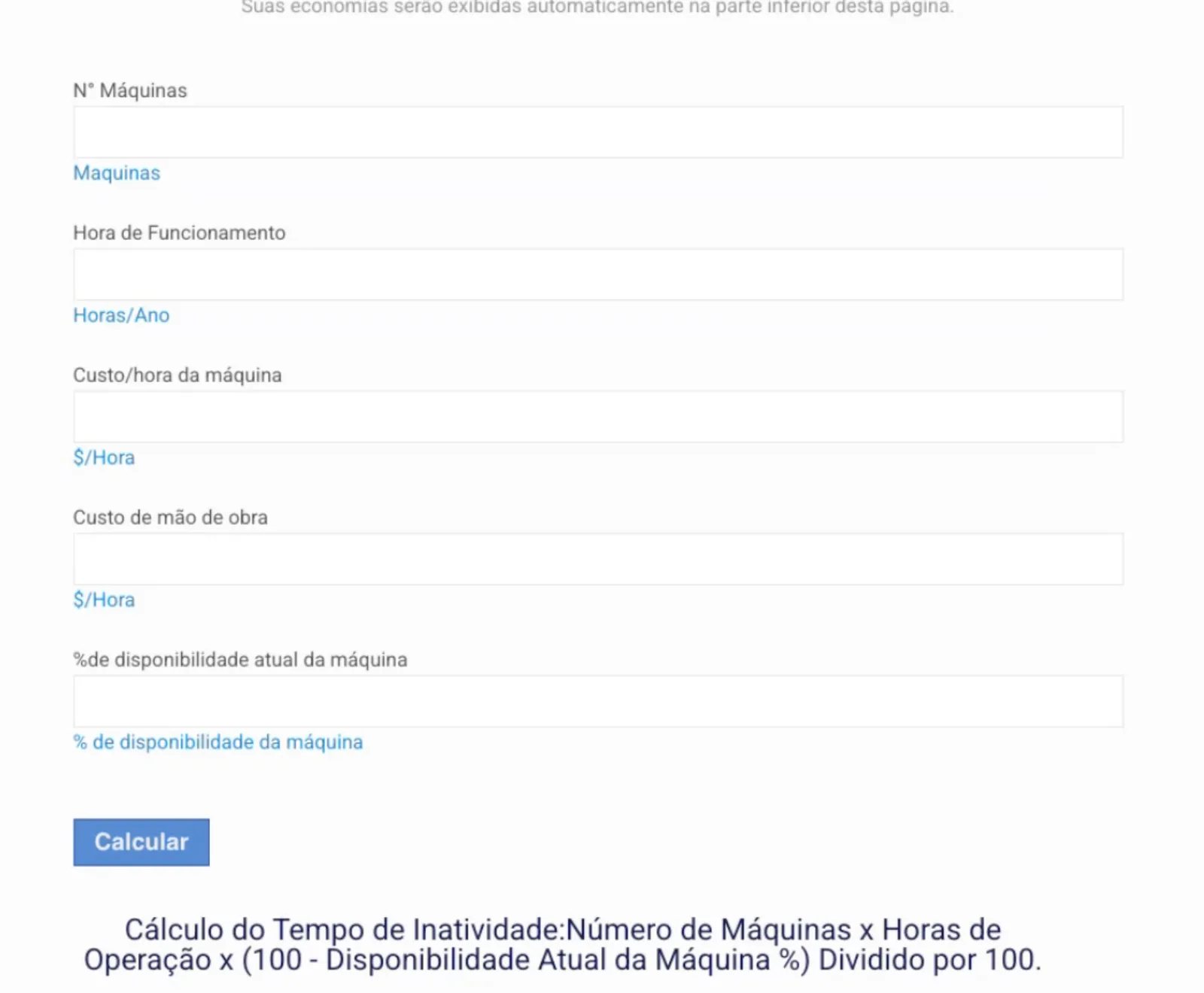
Before: the answer at the bottom of the page.
Original interface in Portuguese.
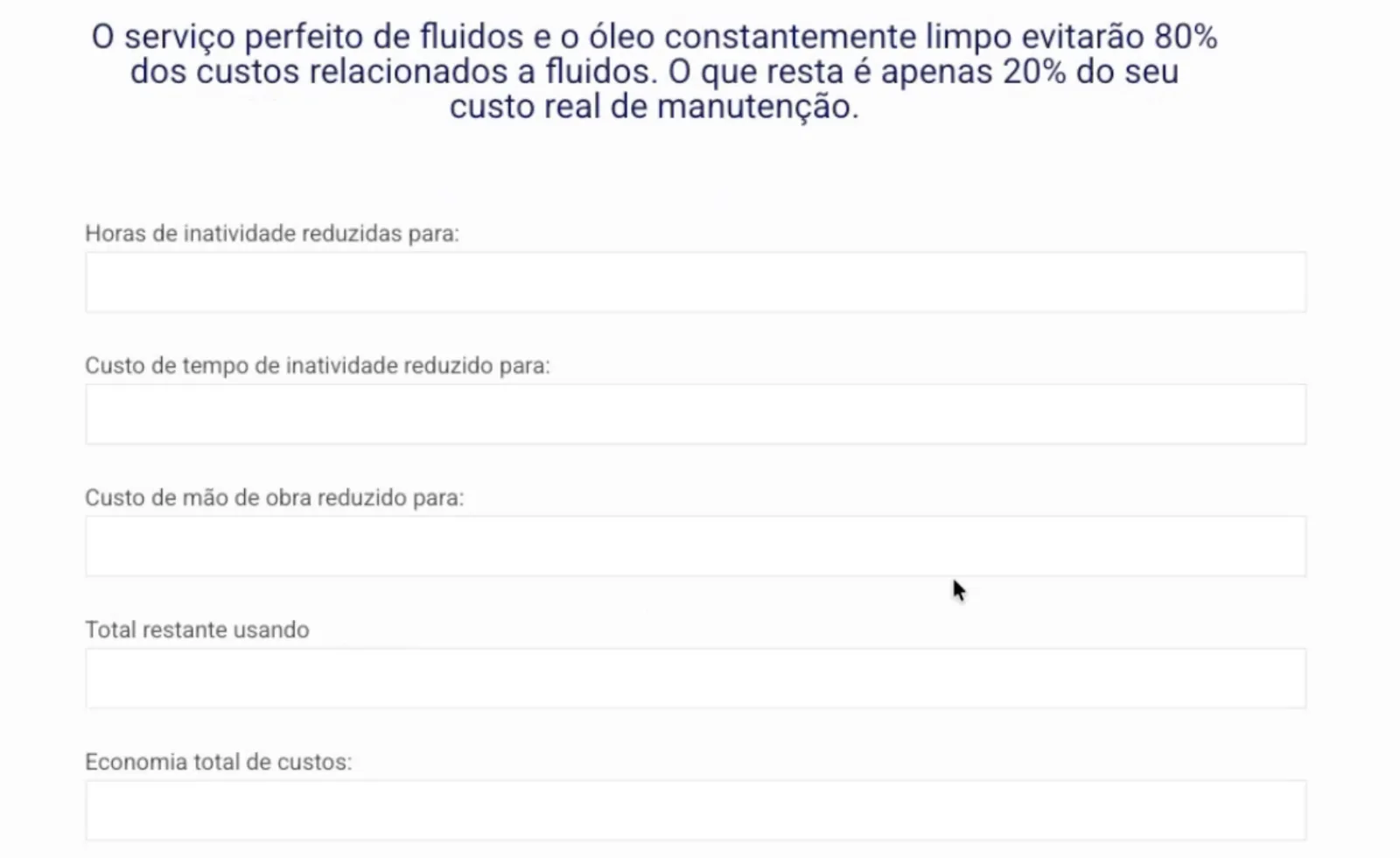
Five inputs, a Calculate button, then twelve output fields. The savings figure came last, and came out negative.
Economia total de custos:
R$ −1.108.800
Recreated from the diagnosis. The figure the old calculator showed.
Diagnosis
I audited the whole site, not just the tool.
With access to their WordPress, I sent them what to fix. Two things came out of it: the calculator built outside WordPress, and analytics where there were none.
39
plugins, functions duplicated
0
pages with a search title
01
Searches Google
A technical problem.
02
Evaluates
Reads the blog, runs the calculator.
Lost here
03
Asks for a quote
System
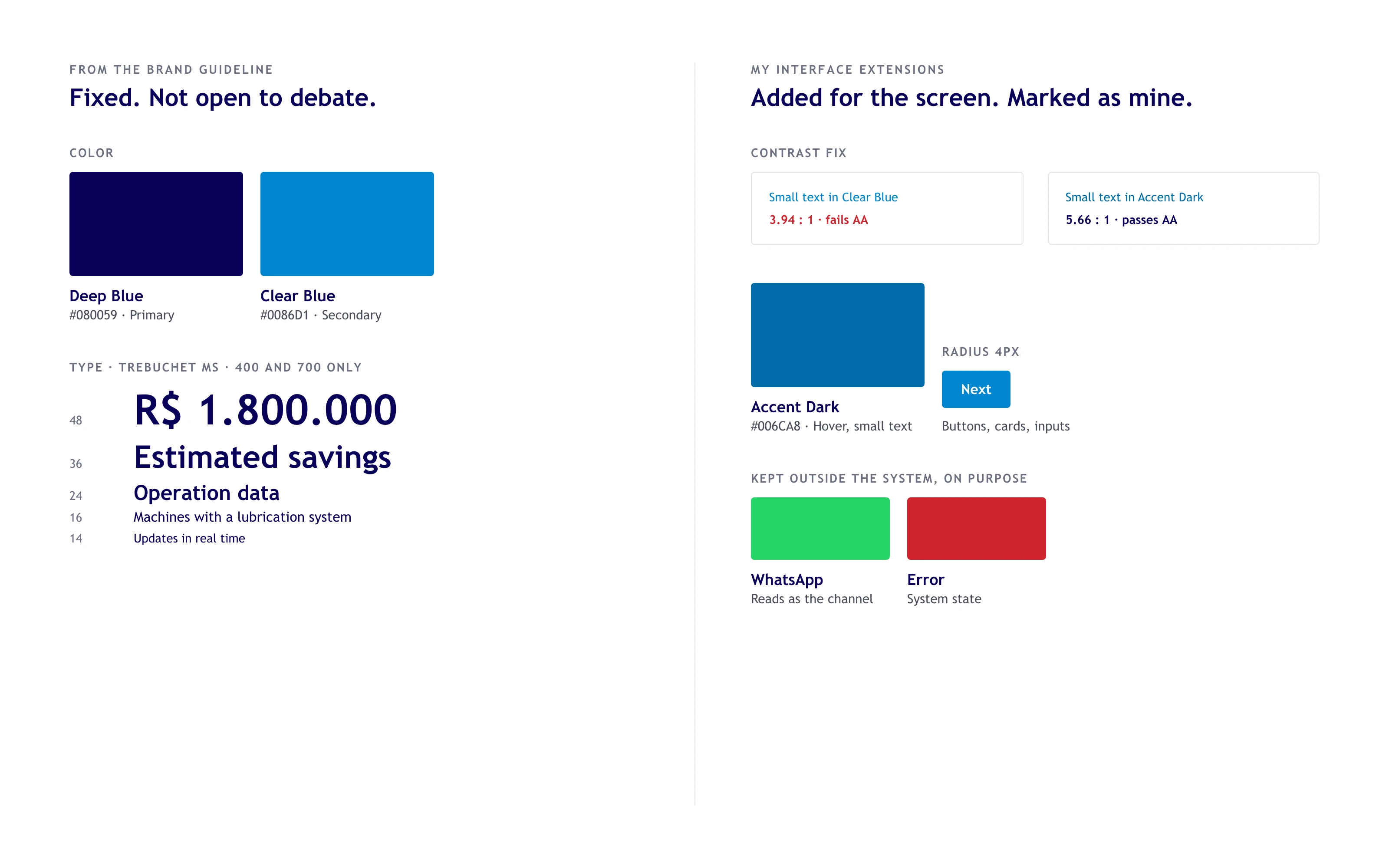
Their brandbook, turned into tokens.
Guideline values and my interface additions kept in separate layers, packaged as a Claude skill. The brand blue failed AA for small text, so a darker shade took over there.
Guideline on the left, my extensions on the right.
Build
Flow first. Screens after.
01
Flow
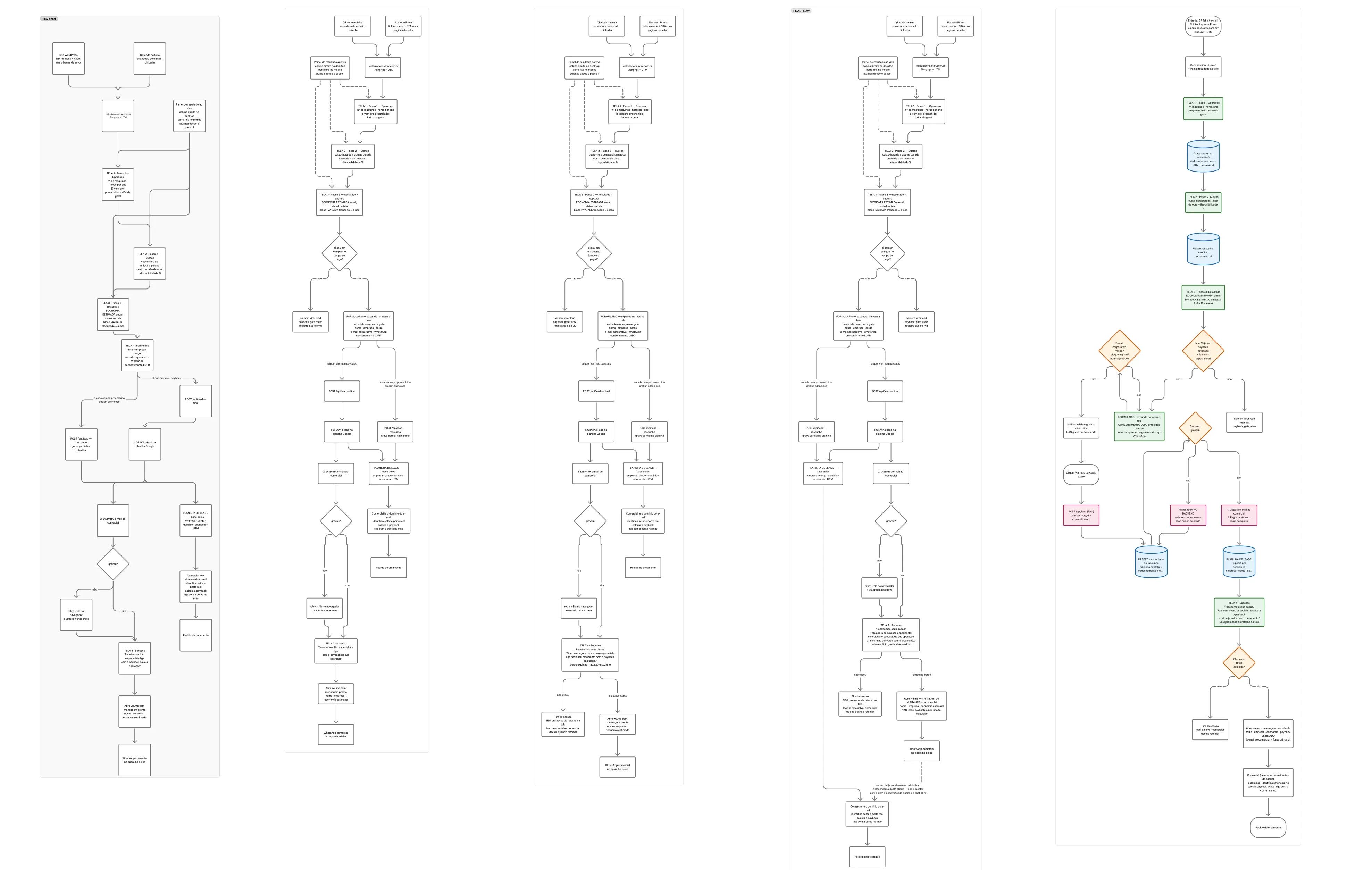
Five versions in FigJam before any screen. The form stopped being a new screen and became part of the result.
02
Figma Make
Exploration only.
03
Figma + Claude Code
Built side by side through the Figma MCP. Result, form and inputs from Figma. Steps from code.
04
Zero monthly fee
The client's rule. Netlify instead of Vercel, leads in a Google Sheet. No server, no database.
05
One account, theirs
They run on Microsoft, so we created a Google account just for this. Sheet, GA4 and deploy in one place, independent of their host. Three step-by-step docs so they run it without me.
Five versions of the flow, left to right. Click to open full size.
The Figma side. Its result panel and form made it into the final version.
Iteration
Measure first. Then cut.
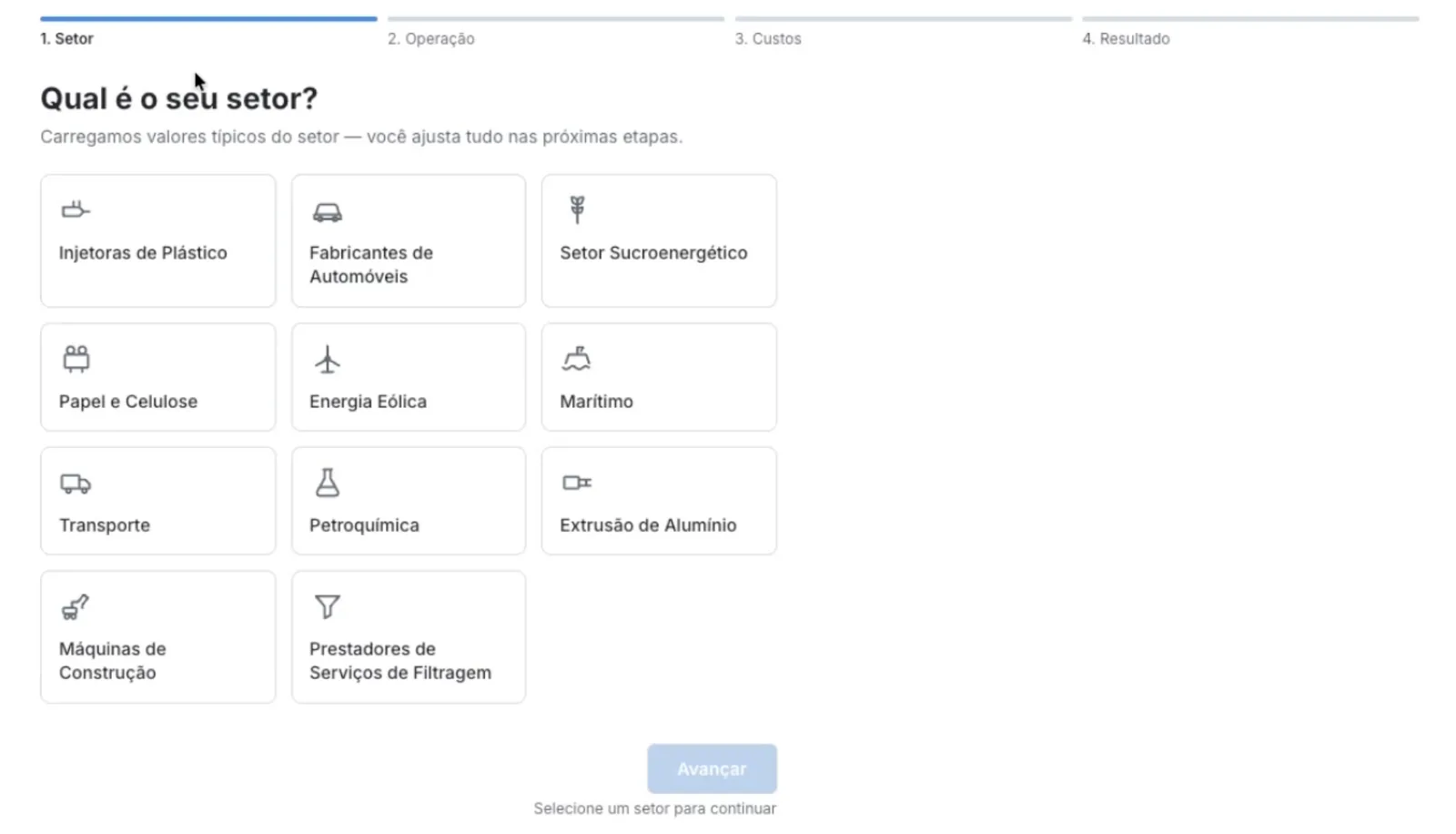
The first version opened with a sector picker, so results could start from typical values. In the first review, we cut it. Every extra choice was one more reason to leave before seeing the number.
First version: four steps, starting with the sector.
The analytics from the diagnosis made this possible: GA4 through GTM, my own event names.
Then I measured. Of the first 27 people who opened it, 15 left on the first screen, before seeing any number. On mobile, 10 of 15. So I moved the result up front and the form after. Three steps became two.
First weeks live. Small sample, real numbers.
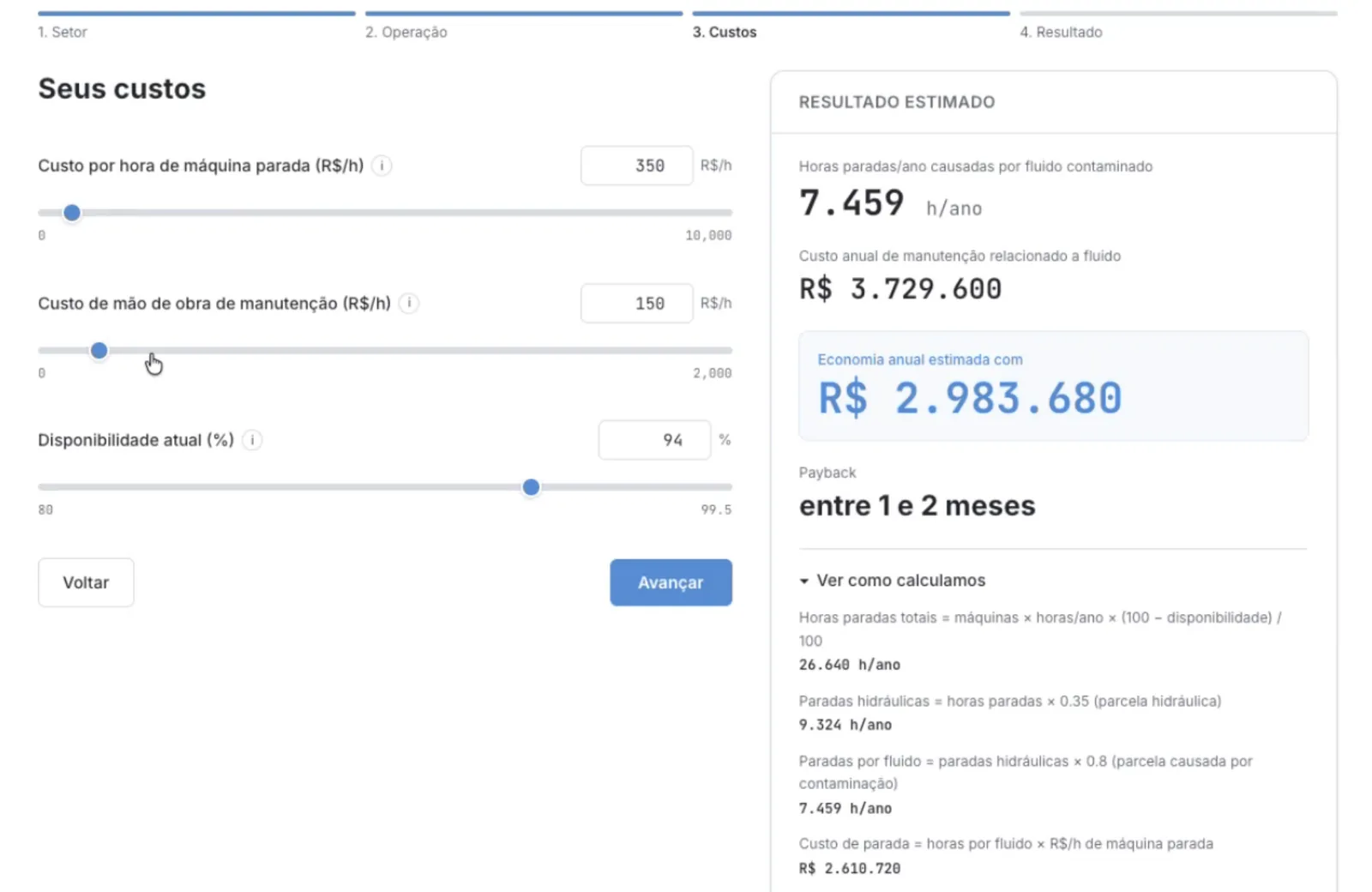
Old order · 3 steps
Operation→
Costs→
Result
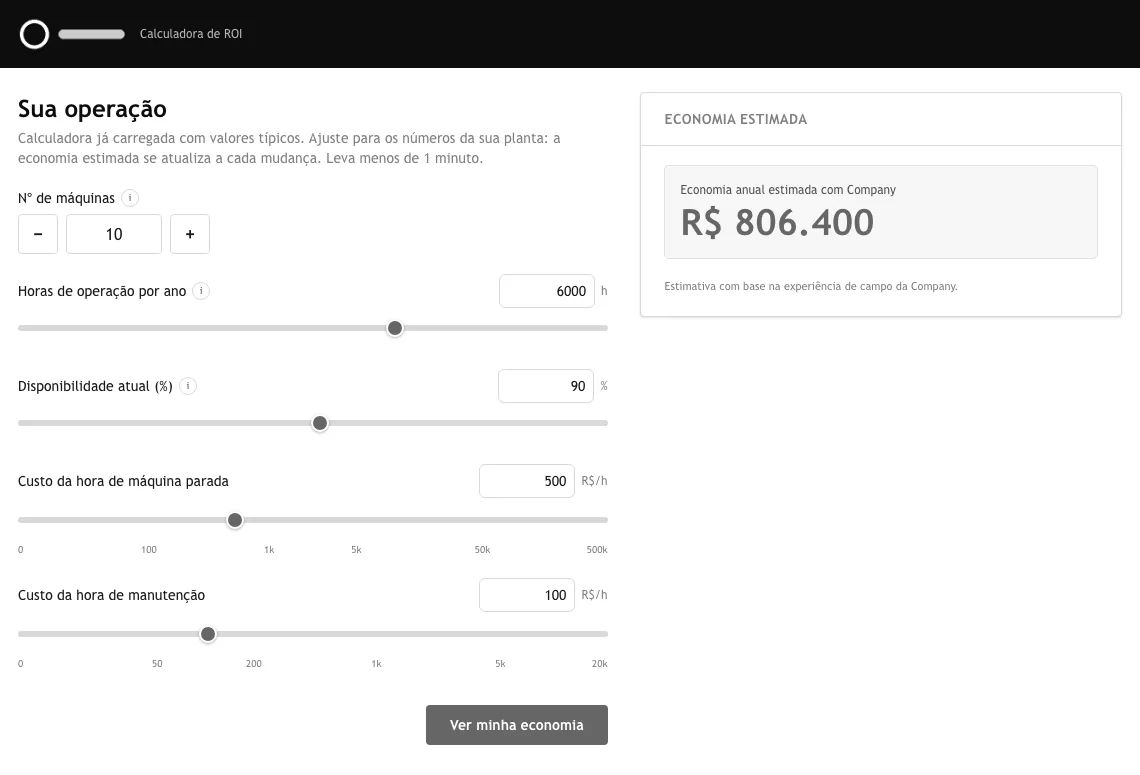
New order · 2 steps
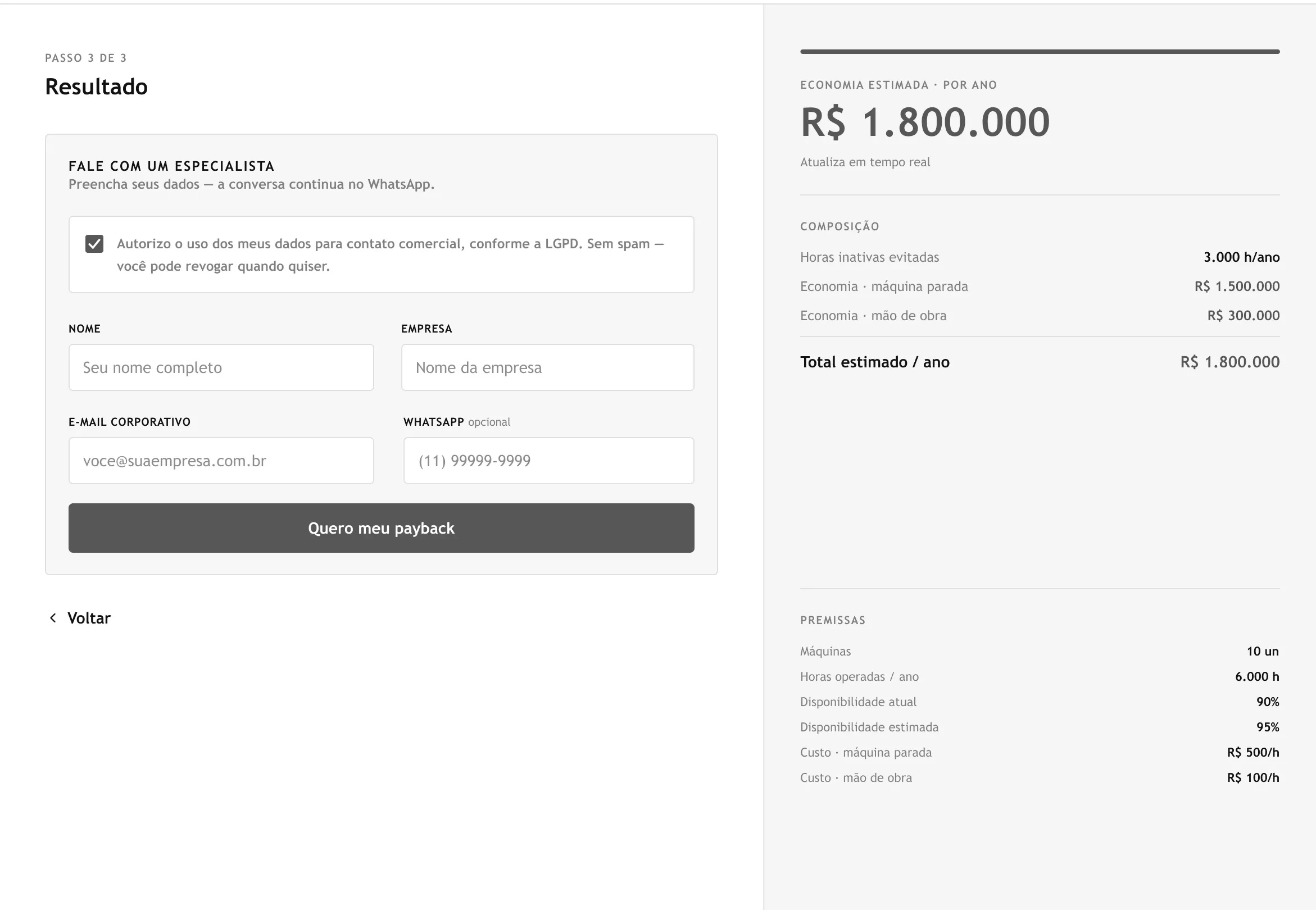
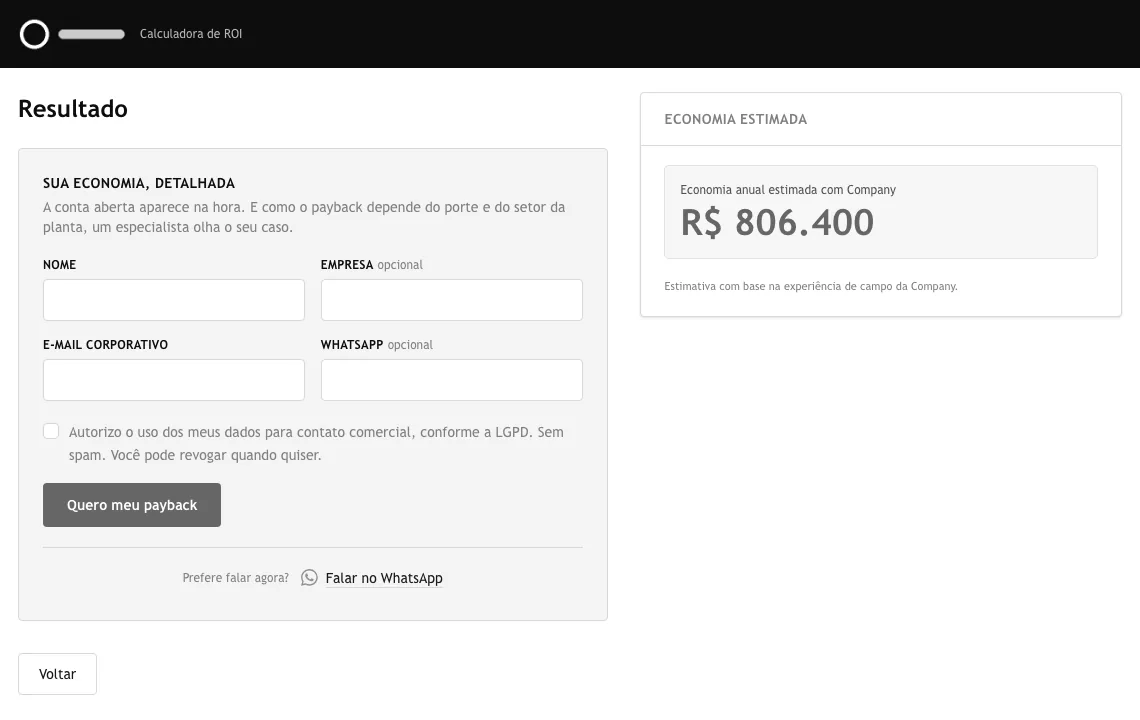
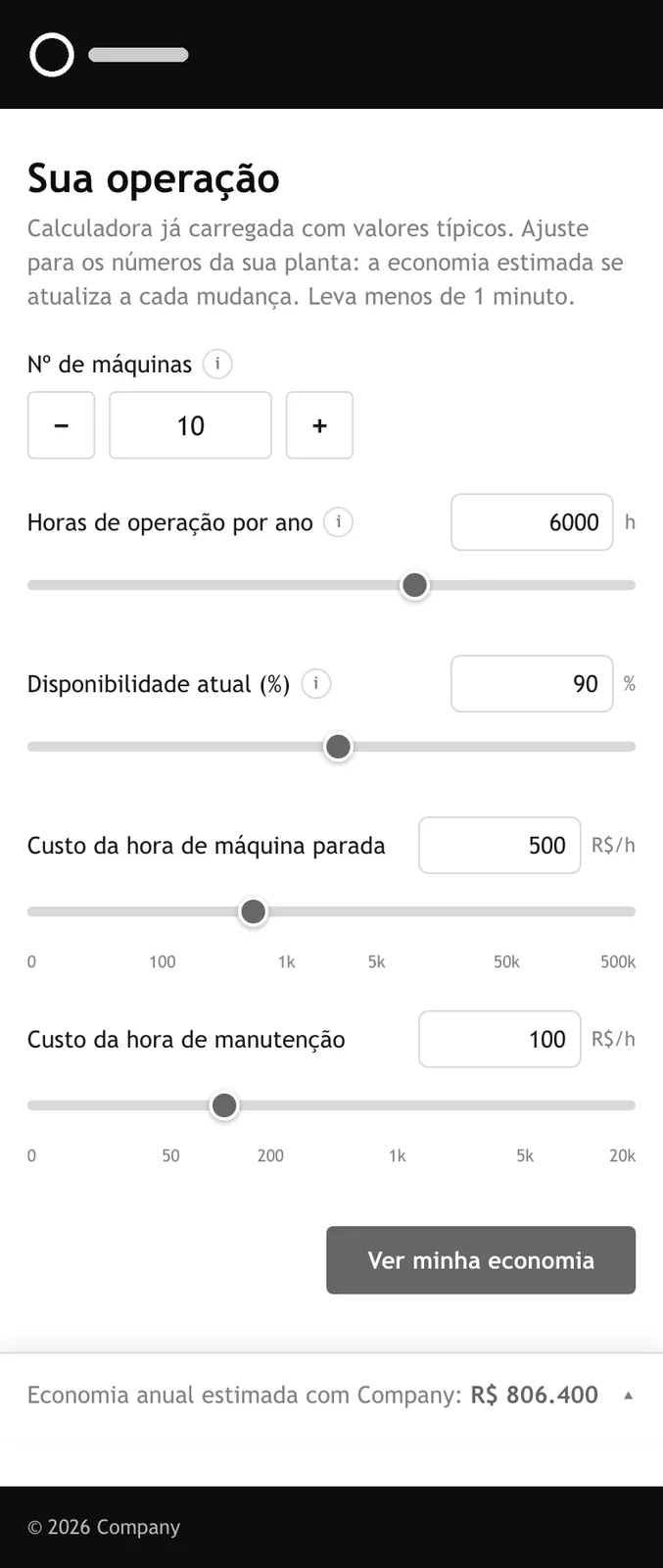
Inputs + live result→
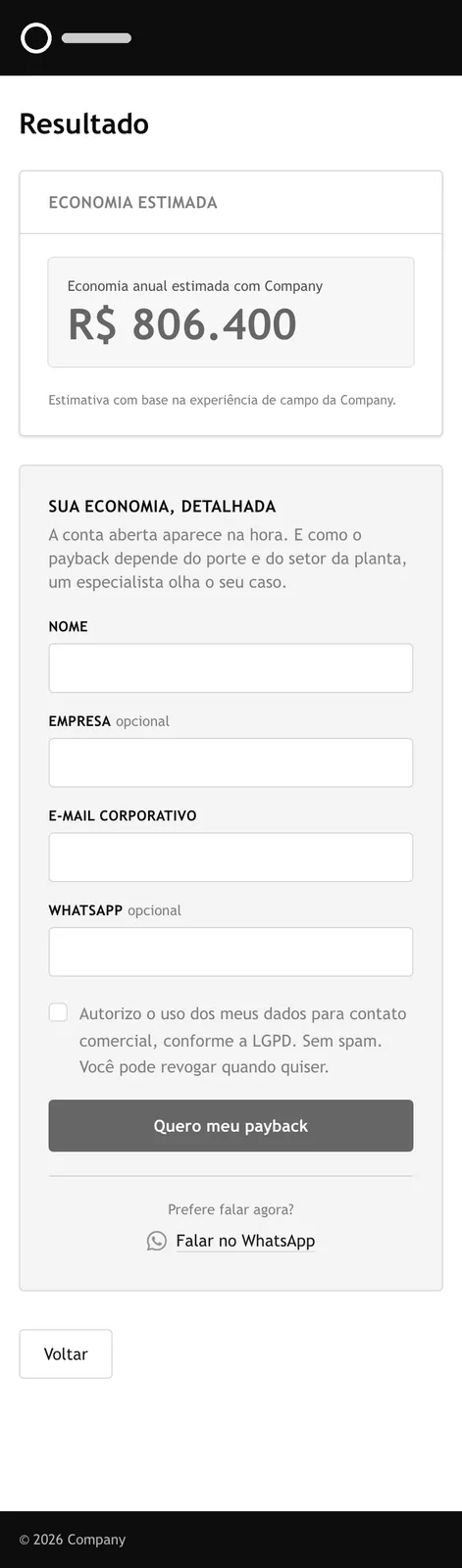
Form
The calculator today: two steps, desktop and mobile. Brand removed, shown in grayscale.
What Happened
The page mattered more than the tool.
The client moved the calculator off the homepage, into a Tools link next to another tool they built. Later they added a quote request to their WordPress site, with another vendor.
Two months after launch, the calculator sits in a menu and gets almost no visits. There's no after-number for the new flow because there's no traffic to measure. A tool only sells if it's part of how the company sells.
The Real Deliverable
The brief that outlived the tool.
01
Capture
The calculator and a catalog become entry points.
02
Organize
One place for every lead.
03
Follow up
Nothing depends on someone remembering.
I was asked for a calculator. I proposed a way to ask for a quote.
That's what the client added next.