Year

2023

Company

UOL Host

Role

Product Designer

Industry

E-commerce · B2B SaaS

E-commerce Platform Redesign

UOL Host's solutions hub includes a B2B SaaS e-commerce platform for SMB sellers. A partner's legacy version migrated into it, bringing its users and its broken onboarding: 23 steps, no mobile, no clear way in. I redesigned everything after the shared entry, across product, CRM, and support, in 3 months.
~16×

more stores completing setup, eight months after launch

~3×

click rate on onboarding emails

5 → 3

setup steps to a working store

E-commerce platform redesign cover
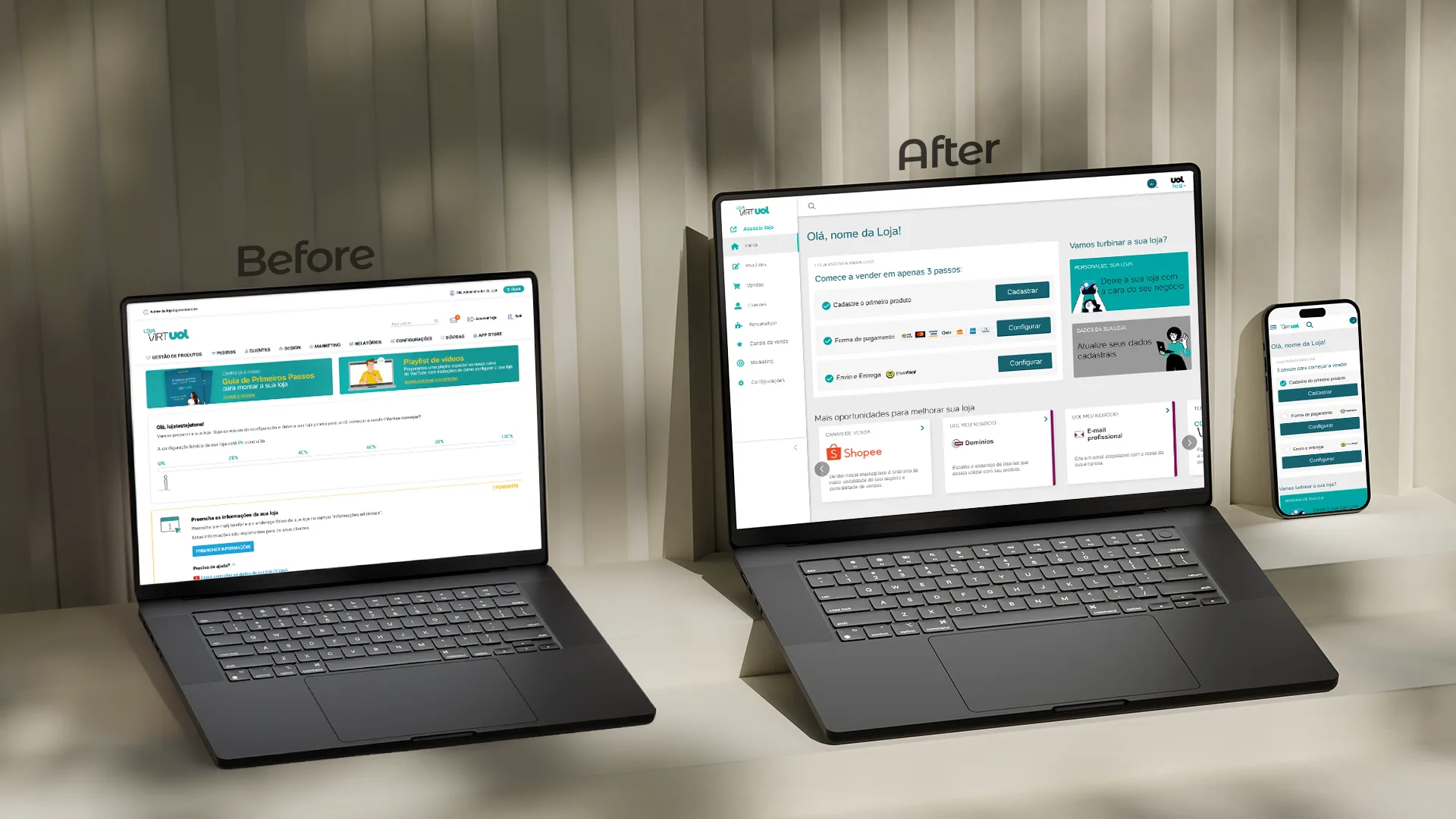
Before and after: legacy platform vs redesign

Before: 23 steps, desktop only. After: the part I could change, mobile first and on one page.

Problem

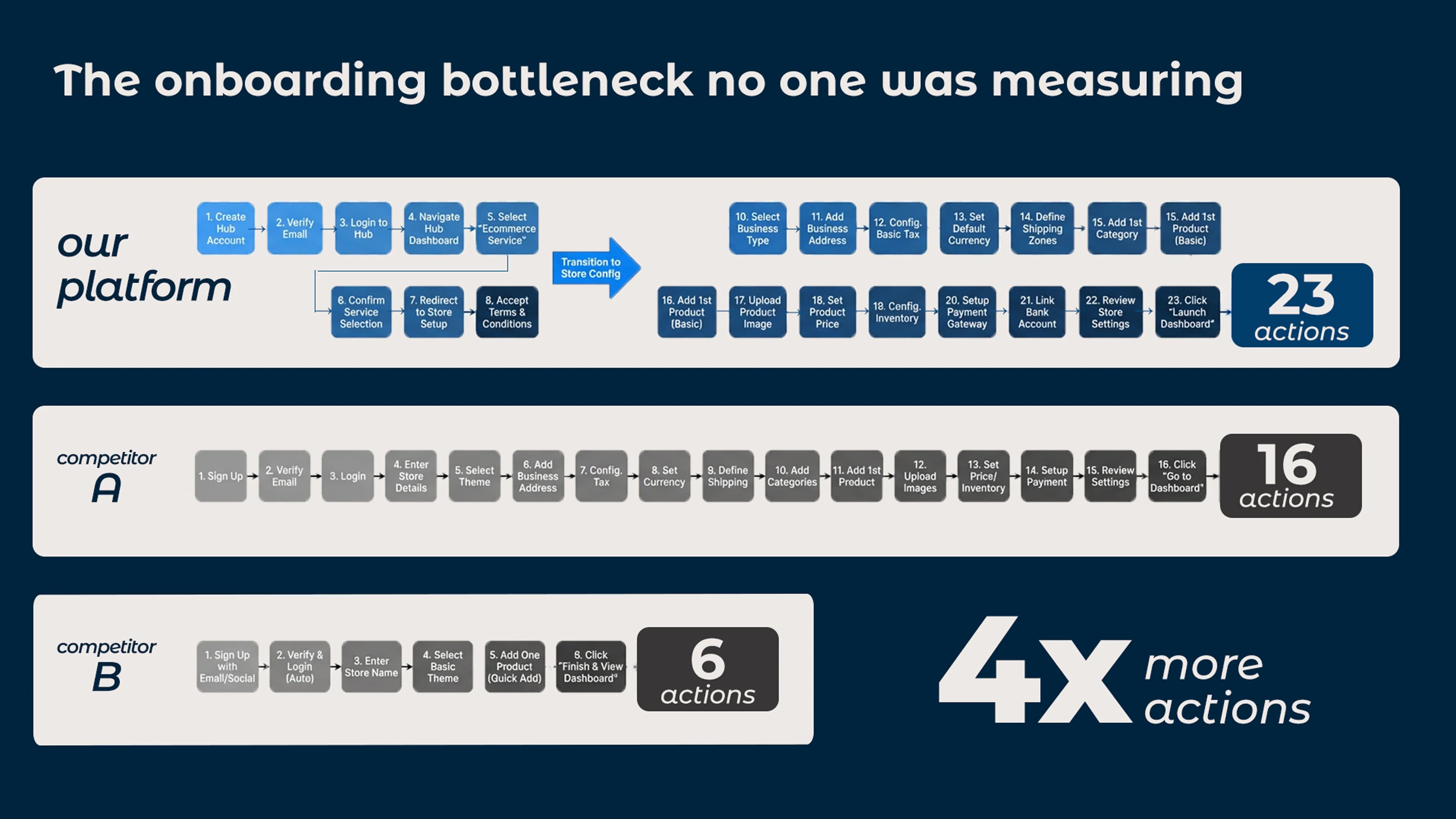
23 steps before a seller could start

The setup wizard alone ran across 5 disconnected screens. Competitors averaged 6 to 16 steps. The platform was desktop-only, though most SMB owners run their business from their phones.

Constraint

The entry was off limits

The first onboarding steps were shared across the hub and owned by another team. I couldn't touch them. So I reframed the problem: if the entry can't change, how do we get users to value faster once they're inside?

4x more actions than competitors

23 actions vs the competitor's 6.

My Role

Evidence earned the scope.

I was the only designer across four workstreams. The CRM emails, mobile-first approach, and in-product support form were my additions, each backed by evidence: drop-off data, the 23-step benchmark, user complaints. I ran bi-weekly live work-in-progress reviews with 10 stakeholders across engineering, business, product, CRM, and sales.

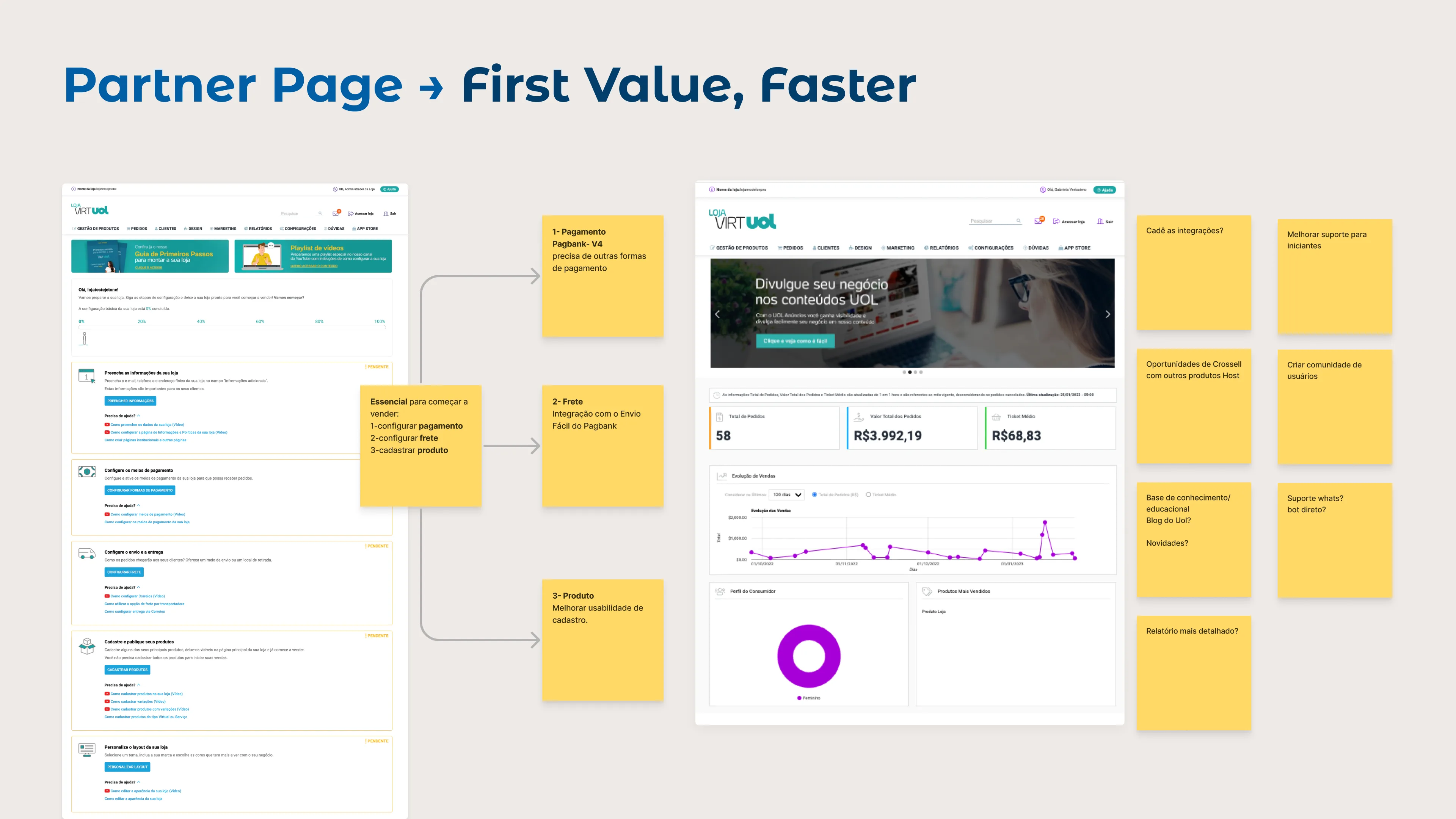
Partner page redesign

01. First screen after onboarding: immediate value, not options.

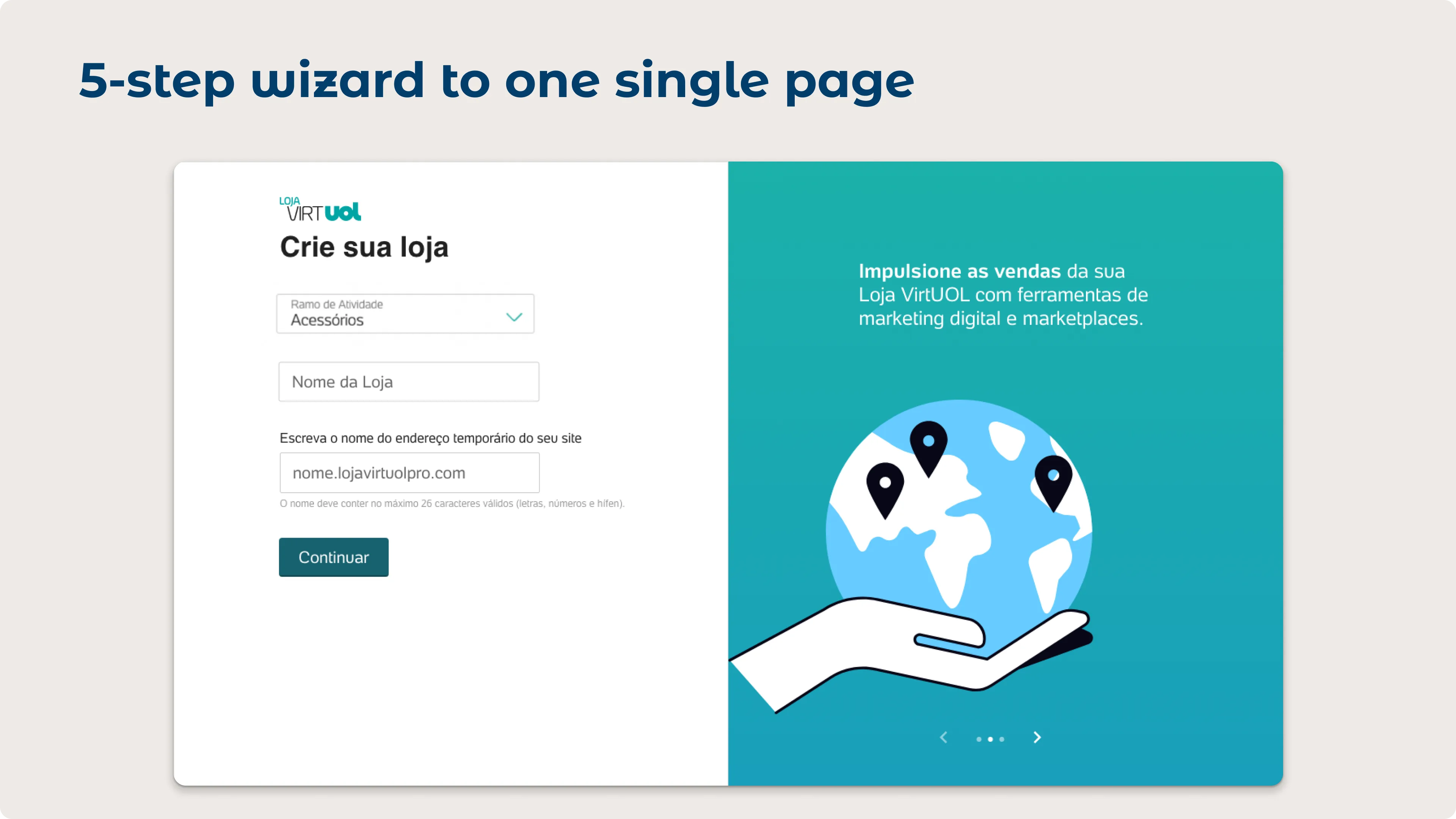
Setup wizard consolidated from 5 screens to one page

02. Setup wizard: 5 disconnected screens to one scannable page.

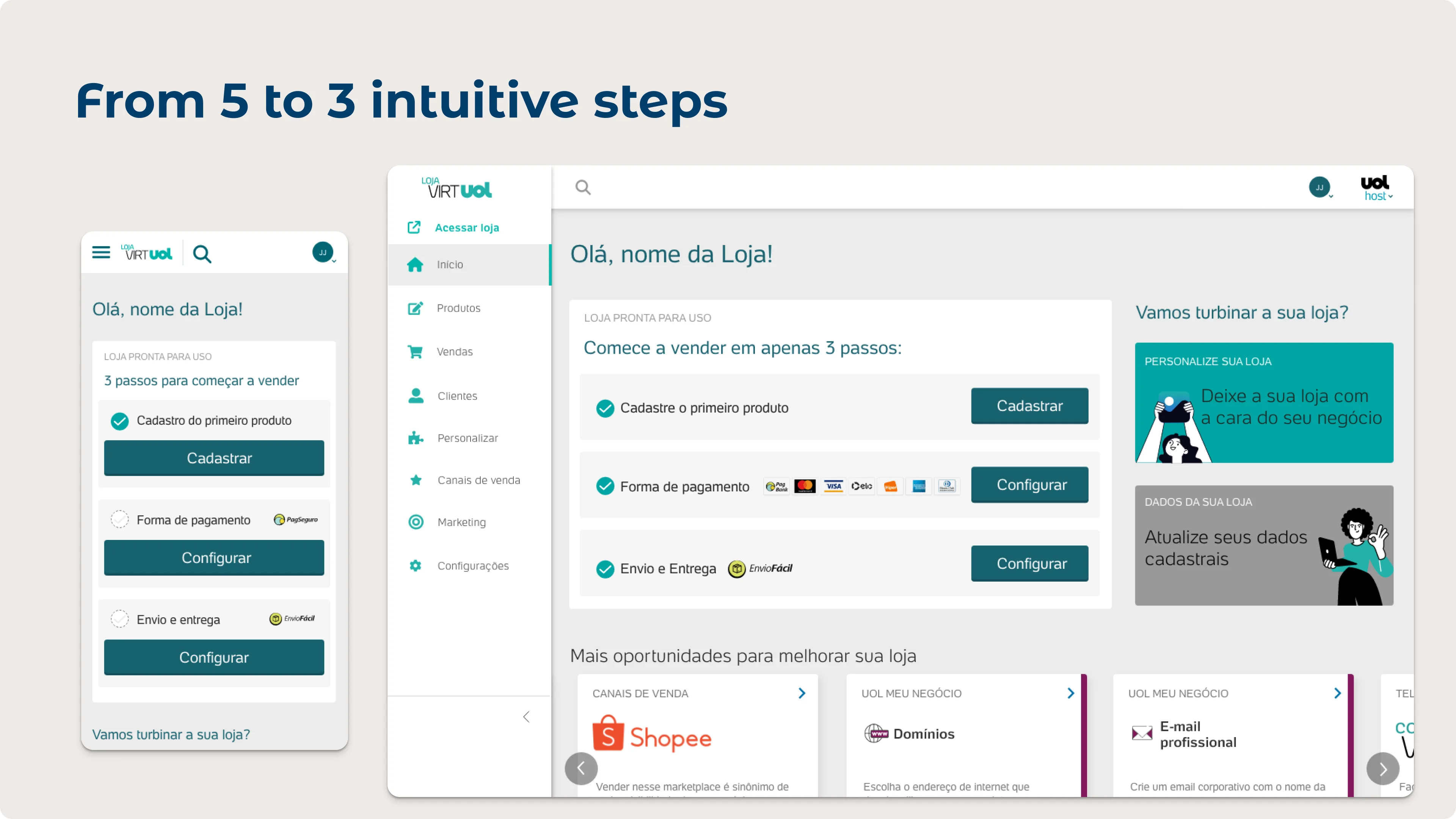
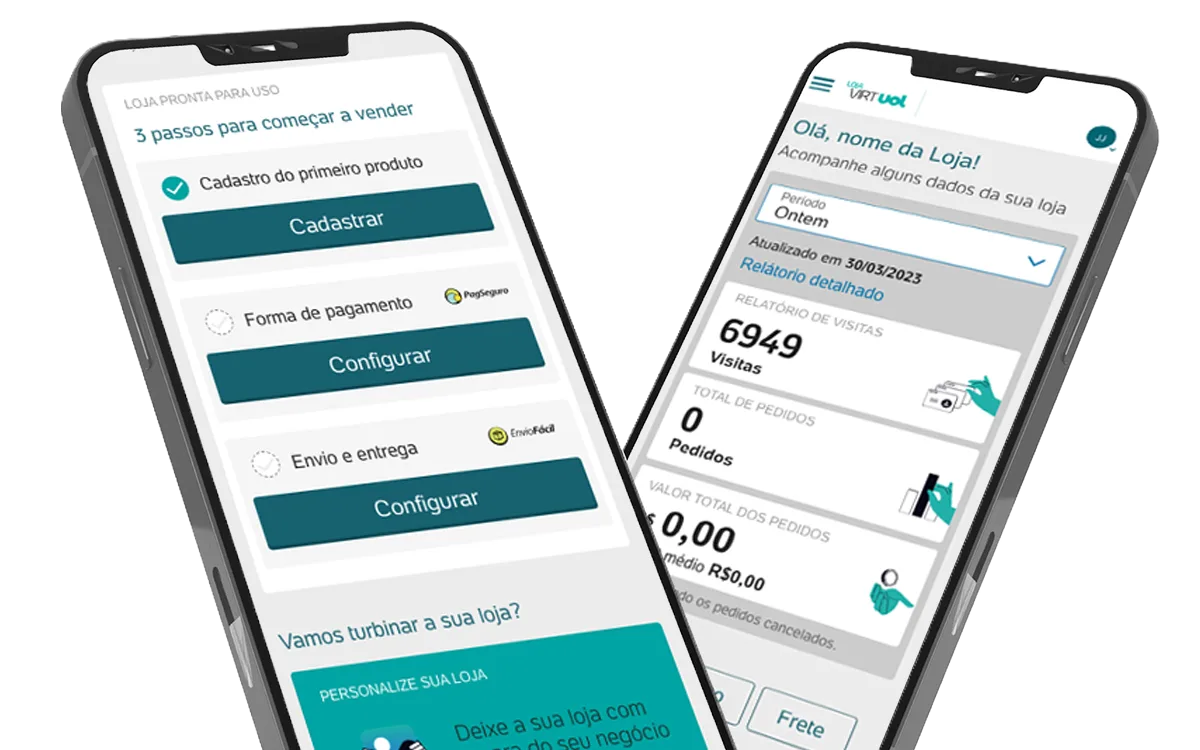
From 5 to 3 intuitive steps: platform ready to sell

03. 5 steps to 3: register a product, set up payment, configure shipping.

Onboarding in motion: one page, progressive disclosure, no dead ends.

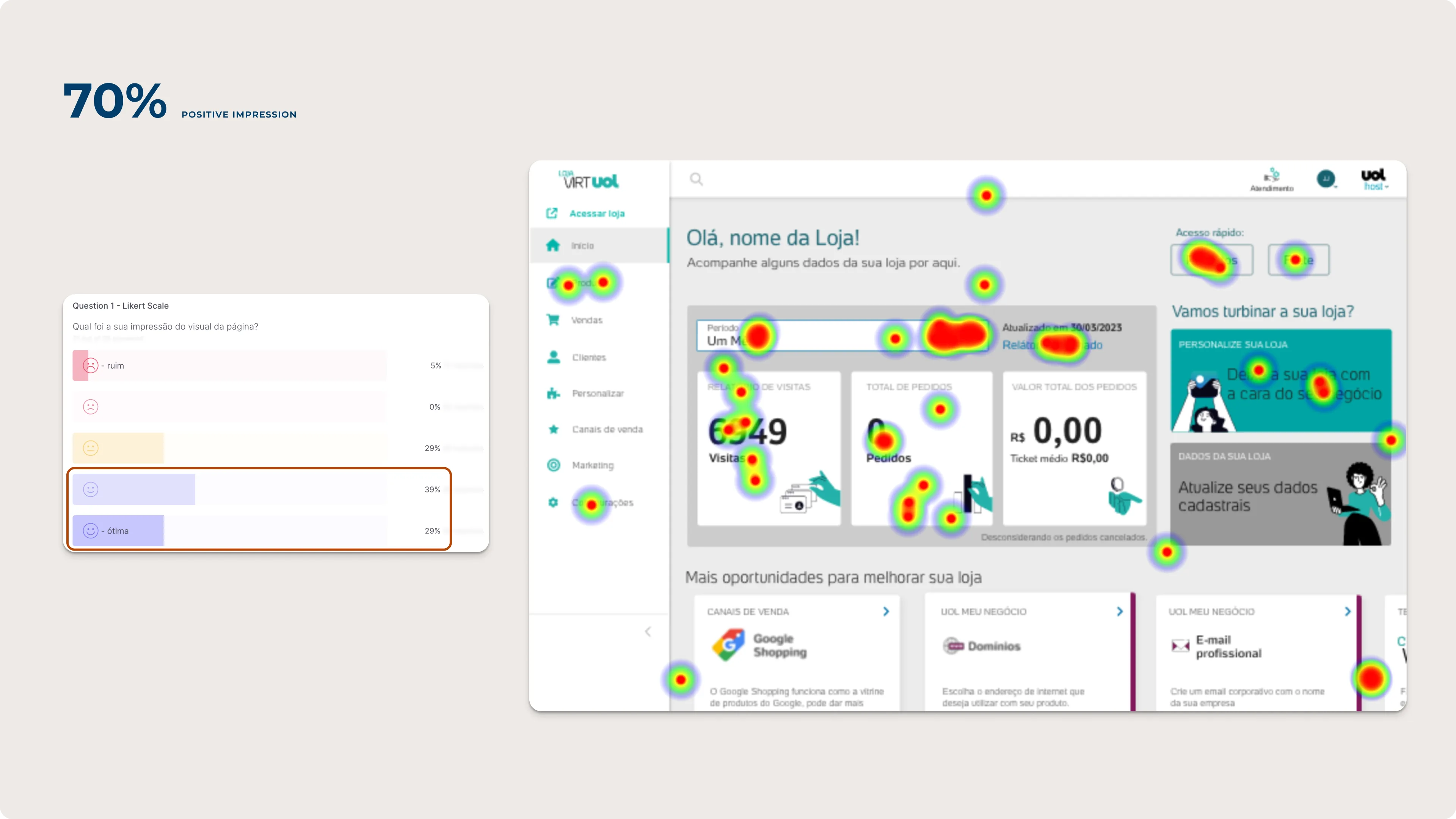
Heatmap validation: 70%

04. Heatmap validation: 70% of engagement landed where we designed it.

The redesigned dashboard answers one question immediately: what do I do next?

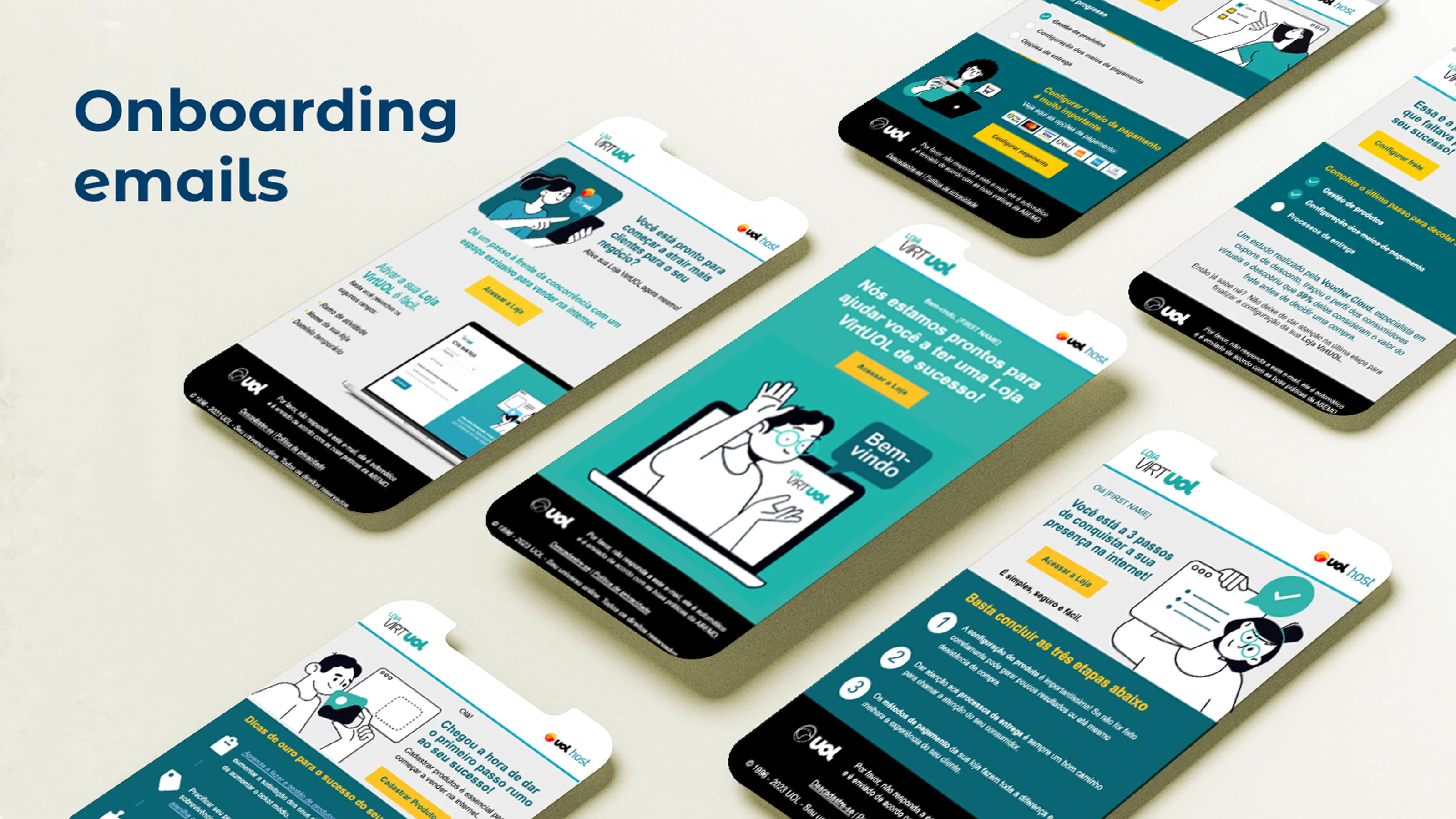
Onboarding email sequence

05. Trigger-based emails, one per onboarding stage, bringing owners back to where they stopped.

Design Decisions

Three decisions that shaped the whole project.

01

Mobile first

SMB owners check orders and answer customers from their phones, and the legacy platform ignored that. I designed mobile first and scaled up, so every screen started from the smallest viewport.

02

Single page over multi-step wizard

Users lost context between steps, so I consolidated the wizard into one page with progressive disclosure. Engineering already knew the patterns, so the build stayed on schedule.

03

Dashboard as orientation

The first thing users said after onboarding was "what do I do now?" The dashboard answers it: what's set up, what's missing, the fastest path to store-ready. The heatmap confirmed it.

Results & Impact

Four workstreams, one launch.

All four workstreams launched together, and none would have moved the numbers alone.

Key Learnings

What this project taught me

  • Constraints focus decisions. Not being able to touch the shared entry forced me to concentrate on what I could influence, before any screen was drawn.
  • The smallest screen is the clearest test. Starting mobile-first made every page justify its content. What didn't survive the small screen probably didn't need to be there.
  • A jump isn't a trend. Platform NPS turned positive the month after launch, then fell back. Setup got fixed; staying was a different problem.

What I'd do differently

Research that challenges, not confirms.

I'd let user research challenge the brief earlier, not confirm the design later. One usability round changed things; more rounds, earlier, would have sharpened more decisions.